
Sesame Street Games Club
StoryToysEducational
4.240.00 Reviews
- Version
- 11.0.0
- Installs
- 500.00K
- Age Rating
- Everyone
Screenshots




Our Review of Sesame Street Games Club
 Analysis by Appyee
Hey there, fellow app adventurers! Today, I’m diving into a delightful app for the little ones that’s brimming with fun and educational content. Say hello to the Sesame Street Games Club. As a long-time fan of those fuzzy friends, I was super excited to explore this vibrant and interactive world.
My overall take is that this educational game is most appealing when a child wants a short, hands-on activity with familiar Sesame Street characters rather than another video to watch. Its playful format can make a quiet moment feel more purposeful, but I would treat it as one option in a child’s day, not as a complete learning plan or an automatic screen-time solution. Whether it suits your family depends on the child’s age, patience, interests, and how much you are comfortable spending on optional in-app purchases.
A familiar world, with a practical purpose
StoryToys is the developer behind the game, and the Sesame Street setting gives it an immediate point of recognition for many young children. That familiarity matters in practice: a child who already enjoys the characters may be more willing to try an activity than they would be in an unfamiliar educational app. I see that as a useful invitation to participate, not proof that every child will stay interested or that a game alone will teach a skill.
The game is free to download, carries an Everyone content rating, and is listed for devices running Android 8.0 or later. It was released on January 17, 2024, and the current version is 8.3.0. Those details help parents check basic suitability and device compatibility before making time for a download. Optional in-app purchases range from $2.99 to $29.99 per item, so I would look carefully at the purchase choices before handing the device over.
Its audience is clearly young children, but I would avoid treating any specific age range as a guarantee of fit. A preschooler who can follow simple prompts may enjoy the idea of choosing an activity and trying it independently; a younger child may need an adult nearby to explain what to tap or help when a task becomes confusing. A child who is already reading fluently or wants longer, more complex challenges may outgrow this style of play sooner.
Discovering the Magic of Sesame Street
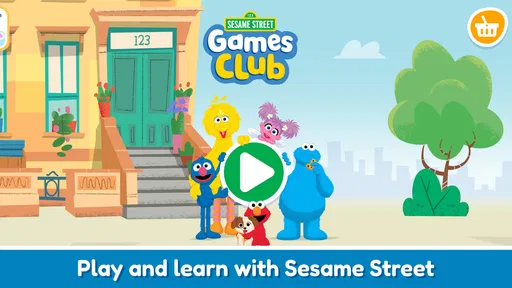
Let's kick things off with what makes the Sesame Street Games Club a standout choice for kids. This app offers a treasure trove of games featuring all your child’s favorite characters. From Elmo to Cookie Monster, each character brings their unique charm to the games, making learning a joyous experience.
The app is designed for children aged 2 to 5, which means it’s packed with age-appropriate educational content. Kids can learn numbers, letters, and shapes, all while having a blast. And let's be honest, isn’t it more fun to learn the alphabet with Elmo cheering you on?
That playful framing is most useful when a child is in the mood to try rather than simply sit and watch. I would use the activities as a small prompt for conversation: if a game involves recognizing a shape, for example, an adult can ask the child to spot something similar nearby after the play session. That turns a screen activity into a bridge to the room around them, without expecting the app to replace hands-on play, shared reading, or everyday learning.
Interactive Gameplay
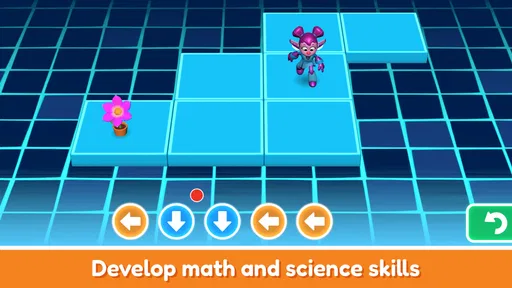
What really sets this app apart is its interactivity. Kids aren’t just passive viewers; they’re active participants in the learning process. Each game is crafted to engage young minds, encouraging them to solve puzzles and complete tasks that reinforce learning objectives.
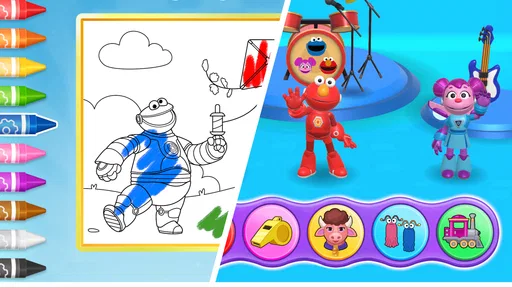
I particularly enjoyed the variety of games offered. There’s a nice mix of everything—puzzles, matching games, and even some creative art activities. This variety keeps the app fresh and exciting, ensuring that kids stay engaged over time.
That mix also suggests a practical way to decide when to offer it. If a child is restless and wants to make something, a creative activity may be a better fit than a puzzle; if they want a clear little task, matching or a puzzle can provide a more focused choice. I would let the child choose between a couple of options rather than turning the device into an open-ended search. A small choice can support independence while keeping the session from drifting into aimless tapping.
For a real everyday use, picture a parent preparing dinner while a preschooler needs a brief, supervised activity nearby. A short game can occupy that gap, and an adult can check in when the child reaches a stopping point or wants to show what they did. I would not use it as a substitute for supervision, but it can be more interactive than putting on a video if the child enjoys responding to prompts. It also works as a waiting-room option, provided the phone or tablet is charged and the family is comfortable with screen use in that setting.
One useful trade-off is that variety does not necessarily mean every activity will suit every child equally. A child who likes matching may ignore art, while another may be drawn to creative play and lose patience with a puzzle. Rather than judging the whole game by the first activity tried, I would give the child a chance to sample different kinds of play, then notice which ones hold their attention without adult persuasion. That is a better guide to whether the app earns a place in the family routine.
Easy Navigation
Let’s talk about user experience for a minute. Navigating the Sesame Street Games Club is as easy as pie. The layout is intuitive, with bright colors and clear icons that guide kids seamlessly from one activity to the next. It’s all about making sure the little ones can explore independently, boosting their confidence as they play.
The app also features a handy parental control section. Parents can set time limits and monitor their child’s progress, which is a huge plus for those concerned about screen time.
Even when an interface is designed for children, I would spend a moment exploring it together before expecting a child to manage it alone. A first visit is a good opportunity to show where activities begin, how to return to the selection area, and how to ask for help. That small introduction can prevent the common frustration of a young child getting lost in a menu or tapping through choices without understanding them. Afterward, the adult can step back while remaining close enough to help.
Time limits can make the game easier to fit into a routine, but a timer is not the same as a smooth transition. I would tell the child before starting that play will end after the chosen period, then give a calm reminder as the stopping point approaches. That is especially helpful if the child is in the middle of an activity. The goal is not to use a setting as a surprise shutdown, but to make the boundary predictable and easier to accept.
Progress monitoring can help a parent notice what a child returns to or where they may need encouragement. I would use that information as a conversation starter, not as a scorecard. Young children can have very different moods from one session to another; struggling with a task once does not mean they have failed to learn it. Watching how they respond, and asking what they enjoyed, can tell a parent more than trying to turn every activity into a test.
Parents may also wonder whether the free download means every part of the experience is free. It does not: in-app purchases are available, with listed item prices from $2.99 to $29.99. I would review the purchase options before giving a child unrestricted access to the device, and make sure the adult understands which choices may lead to a purchase. That simple check is worthwhile for any children’s game with optional spending, even when the child is mainly interested in the included activities.
Why Parents Will Love It
Now, for the parents out there, you’ll be pleased to know that this app isn’t just about fun; it’s about quality. The educational content is top-notch, developed in collaboration with child development experts. This means your little one isn’t just having fun—they’re building essential skills for school and beyond.
Plus, the app runs smoothly and doesn’t bombard you with pesky ads. It’s a safe space for kids to explore, learn, and grow. And who doesn’t love a bit of peace of mind?
For a balanced decision, I would focus on the parts that can be judged directly in family use: whether the child wants to participate, whether the activities feel manageable, and whether the adult is comfortable with the purchase options and screen-time routine. A game can be educational in intent and still not be the right choice for a particular child on a particular day. Some children prefer a book, a toy, or a shared activity with an adult; others are happy to return to familiar characters and try a small challenge. Both reactions are normal.
The game has an average rating of 4.0 from around 1.5 thousand ratings, with 32 reviews, and has reached over 500 thousand installs. I take those figures as a sign that many families have tried it, not as a personal recommendation from every parent or a guarantee that it will work well on a particular device. For a family deciding whether to try it, the stronger test is whether the child enjoys the activities and whether the app’s format fits the household’s boundaries.
Compared with a general preschool learning game, its most obvious distinction is the recognizable Sesame Street theme. That can be a real advantage when familiar characters help a child settle into an activity. A broader learning app may be a better match for families seeking a wider range of topics or a more formal progression; a simple puzzle app may suit a child who wants one clear task without character-led presentation. And if the aim is shared conversation or tactile practice, a picture book, blocks, drawing materials, or an offline game can do something a screen cannot.
I would also avoid using the game as a promise of measurable progress. A child can enjoy repeating an activity without showing a parent a neat, immediate result, and a cheerful response is not the same as mastering a school skill. The more realistic benefit is an opportunity to practice attention, choices, and simple problem-solving within playful activities. For many families that is enough, as long as it complements other kinds of play rather than displacing them.
When another choice may work better
This is not the right pick for every household. If you want a completely purchase-free experience, the in-app purchase range deserves a careful look before you decide. If your child finds screens overstimulating, has trouble stopping once play begins, or would rather move, build, draw on paper, or listen to a story, an offline alternative may lead to a happier moment. I would also skip it for a child who expects advanced challenges; this is aimed at early childhood, not at older kids looking for demanding game mechanics.
It may be less useful when an adult needs a hands-off activity for a long stretch. Parental controls can support boundaries and progress checks, but they do not remove the value of checking in, especially while a young child is learning how to navigate the app. A parent who wants an activity they can do together may find that the best part is not the screen itself, but using a game as a prompt to talk, take turns, or connect a character’s activity with something in the child’s surroundings.
If you are installing it on a family device, I would check the operating-system requirement first: the listed minimum is Android 8.0. I would also open the app with the child before relying on it for a trip or a quiet moment, so you can see whether the activity selection suits them and whether the controls make sense on your device. This is a modest bit of preparation, but it avoids discovering at the wrong moment that the child is not interested in the available play or needs more help than expected.
Some Final Thoughts
In a world full of apps vying for your attention, the Sesame Street Games Club stands out as a beacon of quality and fun. It’s a delightful blend of education and entertainment wrapped up in the cozy familiarity of Sesame Street.
If you’re searching for an app that combines learning with laughter, this is definitely one to check out. Download it today and watch your little one’s face light up with joy as they embark on their Sesame Street adventure!
My recommendation is strongest for parents of preschool-age children who already respond to Sesame Street and who want short interactive play with a familiar theme. I would approach it as a free starting point with optional purchases to consider, introduce the controls together, and keep sessions within the family’s normal screen-time limits. If your child prefers quiet stories, physical play, or more challenging learning tools, those alternatives may serve them better. If they enjoy character-led puzzles and creative activities, this could be a pleasant addition to the rotation.
Until next time, happy app exploring!
Verdict
Strengths of Sesame Street Games Club
- Wide range of educational games.
- User-friendly interface for kids.
- Regular updates with new content.
- No ads during gameplay.
- Encourages creativity and learning.
Limitations of Sesame Street Games Club
- Requires internet for most features.
- Limited free access without subscription.
- Some games may be too easy for older kids.
- In-app purchases can add up.
- Occasional bugs in older devices.
Other Releases by StoryToys
View All
Marvel HQ: Kids Super Hero Fun
Educational4.2

LEGO® DUPLO® Peppa Pig
Educational4.3

Disney Coloring World
Educational4.3

LEGO® DUPLO® World
Educational4.3
Similar Picks in This Category
View All
Little Panda Policeman
BabyBus4.0

Monster Trucks Game for Kids 2
Raz Games4.1

Little Panda's Chinese Recipes
BabyBus4.4

Little Panda's Restaurant
BabyBus4.4

Little Panda's Ice Cream Games
BabyBus4.3

Baby Panda Care
BabyBus3.8
Frequently Asked Questions
What is Sesame Street Games Club and what content does it offer?
Sesame Street Games Club is an educational app designed for young children, featuring a wide array of interactive games and activities based on the beloved Sesame Street characters. The app aims to enhance learning through play, covering topics like numbers, letters, and social skills. It's packed with entertaining and educational content that keeps children engaged while supporting their developmental needs.
Is Sesame Street Games Club suitable for all age groups?
The app is primarily designed for preschool-aged children, typically ranging from 2 to 5 years old. Its content is tailored to support early childhood education, focusing on foundational skills like counting, letter recognition, and basic problem-solving. Parents can rest assured that the app provides age-appropriate material that is both safe and beneficial for their child's growth.
Does Sesame Street Games Club offer in-app purchases or advertisements?
Sesame Street Games Club is designed to be a safe environment for children, free from disruptive ads and inappropriate content. While the app might offer some in-app purchases for additional content, it maintains a child-friendly approach by ensuring all transactions require parental consent. This setup helps parents control spending and keeps the app experience focused on learning.
Is an internet connection required to use Sesame Street Games Club?
While many features of Sesame Street Games Club can be accessed offline, some content may require an internet connection, especially if updates or additional downloads are needed. However, the app is structured to allow children to enjoy a variety of games and activities without the need for constant connectivity, making it suitable for use on the go.
How can parents monitor their child's progress in the app?
Sesame Street Games Club offers a parent dashboard that provides insights into the child's learning journey. This feature allows parents to track progress, understand which skills are being developed, and identify areas where their child may need additional support. By providing this feedback, the app helps parents stay informed and engaged in their child's educational experience.
Play our best games!


